

示例无人机与试飞关卡
需要:uBotAerial 0.1.x(含依赖 uBotCore),并启用引擎插件 EnhancedInput
用插件自带的三架示例无人机和试飞关卡 L_UBotAerialDemo 马上飞起来,再把示例放进自己的关卡,复制后改成自己的无人机。
在 BeginPlay 之后等 0.1 s,找到关卡里的示例无人机,取得它的 Movement 组件,发一条 1 m/s 的前进速度指令:
连线:
- Event BeginPlay 的 执行,连到 Delay 的 执行
- Delay 的 Completed,连到 Get Actor Of Class 的 执行
- Get Actor Of Class 的 执行,连到 Apply Velocity Command 的 执行
- Get Actor Of Class 的 Return Value,连到 Find Multirotor Movement 的 Actor
- Find Multirotor Movement 的 Return Value,连到 Apply Velocity Command 的 Target
- Make Vector 的 Return Value,连到 Make UBot Velocity Command 的 Linear Velocity Meters Per Second
- Make UBot Velocity Command 的 UBot Velocity Command,连到 Apply Velocity Command 的 Command
- 无人机的
Movement在自己的BeginPlay里会清掉之前收到的指令,而 Actor 之间的BeginPlay顺序没有保证,所以先等一小会儿。 - X 为 1、其余为 0:沿无人机当前航向前进,单位 m/s。
Event BeginPlay
UE 引擎 · 中文界面:事件开始运行
Event when play begins for this actor.
输出
- 执行
查看参考AActor.ReceiveBeginPlay
Delay
UE 引擎 · 中文界面:延迟
Perform a latent action with a delay (specified in seconds). Calling again while it is counting down will be ignored.
输入
- 执行
- Duration
Float
输出
- Completed
查看参考UKismetSystemLibrary.Delay
Get Actor Of Class
UE 引擎 · 中文界面:获取类的actor
Find the first Actor in the world of the specified class.
输入
- 执行
- Actor Class
Actor类引用
输出
- 执行
- Return Value
Actor对象引用
查看参考UGameplayStatics.GetActorOfClass
Find Multirotor Movement
uBot Multirotor Library · UBotAerial
返回 Actor 上的多旋翼运动组件(第一个),没有则为空。
输入
- Actor
Actor对象引用
输出
- Return Value
uBot Multirotor Movement对象引用
查看参考UUBotMultirotorLibrary.FindMultirotorMovement
Make UBot Velocity Command
UBotCore
用线速度、角速度、时间戳和来源构造一个 UBot Velocity Command。
输入
- Linear Velocity Meters Per Second
Vector - Angular Velocity Radians Per Second
Vector - Timestamp Seconds
Float (double) - Source
Name
输出
- UBot Velocity Command
UBot Velocity Command结构体
查看参考Make:FUBotVelocityCommand
Make Vector
UE 引擎 · 中文界面:创建向量
Makes a vector {X, Y, Z}
输入
- X
Float (double) - Y
Float (double) - Z
Float (double)
输出
- Return Value
Vector
查看参考UKismetMathLibrary.MakeVector
Apply Velocity Command
Target is UBot Velocity Commandable · UBotCore
应用一条速度指令。指令被拒绝时(没有就绪、数值无效等)返回 false。
输入
- 执行
- Target
UBot Velocity Commandable接口 - Command
UBot Velocity Command结构体
输出
- 执行
- Return Value
Boolean
查看参考UUBotVelocityCommandable.ApplyVelocityCommand
-
显示插件内容
在 Content Browser 的「Settings」菜单里勾选「Show Plugin Content」,才看得到插件的内容。之后在「Plugins > uBot Aerial Content > Examples」下能看到三个示例蓝图:

-
打开关卡并运行
打开
/UBotAerial/Maps/L_UBotAerialDemo,三架示例无人机并排,每架上方有文字标牌。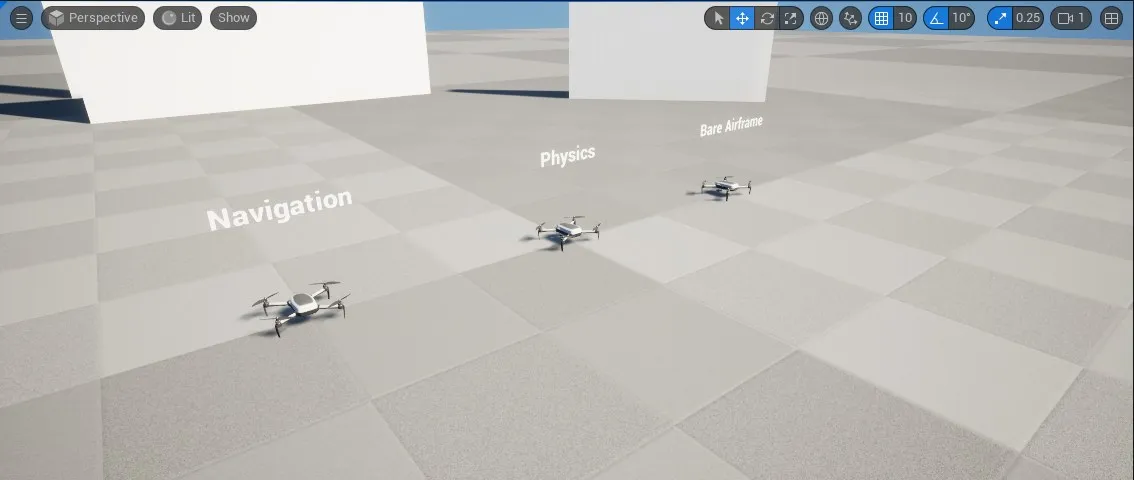
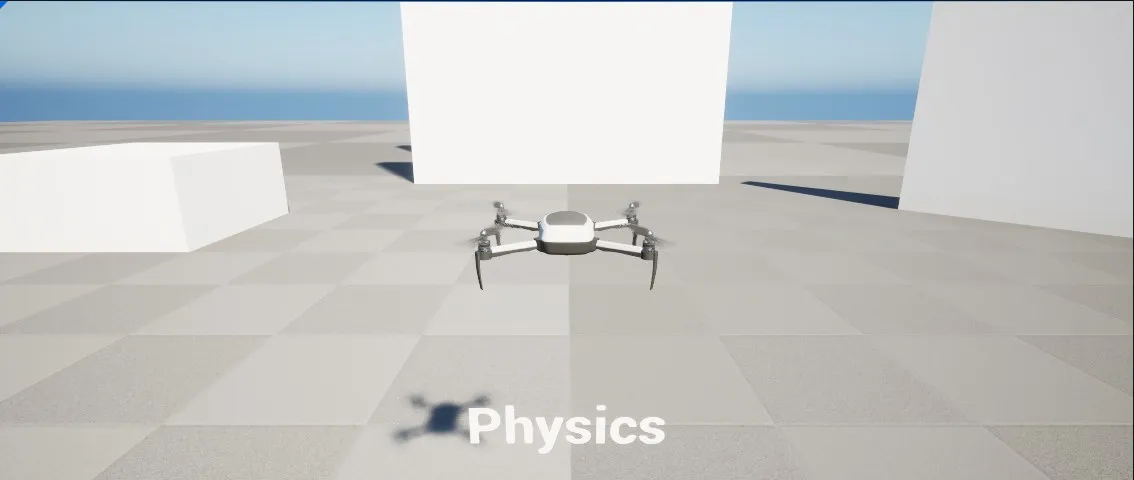
点「Play」。物理无人机已设为由 Player 0 控制:Space 上升,W / A / S / D 平移,E / Q 偏航,Left Ctrl 下降。
-
换一架飞
把另一架无人机的
Auto Possess Player设为 Player 0,原来那架改回Disabled。
放进自己的关卡
Section titled “放进自己的关卡”-
放入示例
把
/UBotAerial/Examples/BP_UBotNavigationDrone拖进关卡。无人机在放置的位置悬停,放在地面上就停在地面上;任何指令都会让它立即动起来。 -
让玩家控制它
在「Details」面板把
Auto Possess Player设为 Player 0,或在 GameMode 里把Default Pawn Class设为它。 -
运行
点「Play」,按键同上。不由玩家控制时,用上面的蓝图图发指令。
放在地面上时,根组件中心离地 6.7 cm(碰撞盒的半高),碰撞盒刚好贴地。
直接改插件里的资产,更新插件时会丢失。先把示例复制到自己的工程:在示例上右键「Duplicate」后移到 /Game 下,或用「Asset Actions > Migrate」,改复制出来的那一份。
要改飞行模型的属性,在复制出来的蓝图的「Components」面板里选中 Movement:
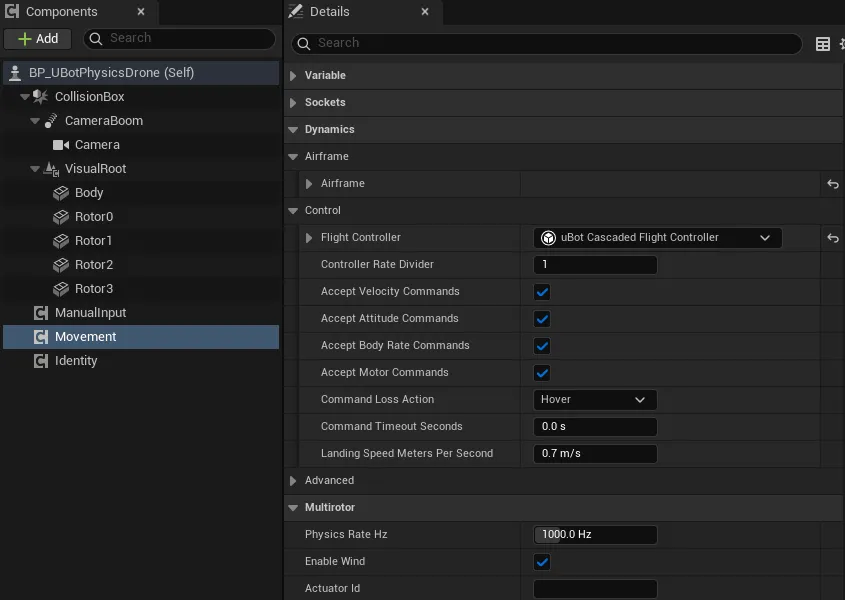
三个示例的组件构成相同,区别在 Movement 组件的类型和设置,以及 ManualInput 的 Flight Mode:物理和裸机架示例的 Airframe 把转子位置设成了模型的电机轴,裸机架另外关闭了速度和姿态指令,ManualInput 用 Rate 模式。
| 示例 | Movement |
接受的指令 | 手动飞行模式 |
|---|---|---|---|
BP_UBotNavigationDrone |
uBot Simple Flight |
速度、偏航角速度 | Velocity |
BP_UBotPhysicsDrone |
uBot Multirotor Dynamics |
速度、姿态、角速度、单电机 | Velocity |
BP_UBotBareAirframeDrone |
uBot Multirotor Dynamics |
角速度、单电机 | Rate |
示例蓝图的父类是 Pawn,不含节点逻辑,行为都在组件里。组件名就是变量名,加传感器、改属性、用 Get Component by Class 找组件时按它们找:
| 组件 | 作用 |
|---|---|
CollisionBox(根) |
碰撞盒,半尺寸 (19.5, 25.4, 6.7) cm,飞行模型扫掠这个形状 |
VisualRoot |
网格的父级,导航无人机的外观倾斜作用于它 |
Body |
机身网格,没有碰撞 |
Rotor0 到 Rotor3 |
uBot Rotor,桨叶随对应电机的转速旋转;导航无人机没有电机,桨叶转速只是显示用的,由加速度推算 |
CameraBoom / Camera |
跟随相机 |
Identity |
uBot Identity:机器人 ID、ROS 命名空间、基坐标系 |
ManualInput |
uBot Multirotor Manual Input,见 键盘和手柄手动飞行 |
Movement |
飞行模型 |
- 试飞关卡里有三个示例无人机并排,各有名称标签;还有一块网格地面、一堵墙、一堵 45° 的斜墙、一个 1 m 高的平台和一根立柱。
- 关卡里有一个默认关闭的
uBot Wind:恒定风 (0, 5, 0) m/s,阵风标准差 (1, 1, 0.3) m/s。打开它,物理无人机会迎风倾斜,见 风。 - 插件的
/UBotAerial/Models/下是无人机的模型和材质,模型来源见 uBotAerial 概述。
- 看不到示例时,先确认「Show Plugin Content」已勾选。
- 示例开局就在原地悬停;放在地面上时它也不会“落地待机”,任何指令都会让它立即动起来。
- uBot Multirotor Library:
Find Multirotor Movement。 - 用速度指令飞导航无人机:速度指令的坐标系和响应。
- 自己拼一架无人机:不用示例蓝图,自己把组件拼起来。